At a glance
Before you move, reduce paper clutter and back up important files. During the move, keep documents and device setup notes accessible. After arrival, create simple digital home records for receipts, serial numbers, warranties and box contents.
Digital moving
Make your digital plan simple enough to keep using.
Moving has a way of exposing every system that was only just holding together.
The drawer full of old bills. The hard drive you meant to back up. The mystery cable behind the television. The appliance receipt you know exists somewhere, but not somewhere useful.
This is not a reason to feel behind. Most homes collect paper and digital clutter quietly over time. A move simply gives you a natural moment to reset it.
The goal is not to create a perfect smart home or scan every scrap of paper you have ever owned. The goal is calmer: protect what matters, reduce what you do not need to carry and make your new home easier to manage from day one.
Digitise the paperwork before it becomes another box.
Paper is easy to underestimate because each sheet feels small. Together, old statements, manuals, certificates, receipts and letters can become a heavy, awkward box that follows you from home to home.
Start with the papers you are most likely to need during or soon after the move:
- Move documents: tenancy agreements, completion documents, solicitor letters, removals quotes, inventories and floor plans.
- Identity and life admin: passport copies, birth certificates, insurance documents, pension letters and important medical paperwork.
- Home records: appliance manuals, warranties, energy paperwork, broadband details and service history.
- Finance paperwork: recent bills, tax documents, bank letters and any paperwork connected to the move budget.
Use a scanner or a phone scanning app and save the files with names you will understand later, such as “2026 moving quote - removals company” or “boiler manual - new home”. Once a document is safely saved and backed up, shred anything you no longer need in paper form.
Keep original legal documents, certificates and anything your solicitor, landlord, insurer or accountant has told you to retain. Digitising is useful, but it should not make you accidentally throw away an original you still need.
Lighten the load with a gentle media clear-out.
Books, DVDs, CDs, games and old tech can carry memories, but they also take up real space in a van and real energy at the other end.
Before packing them automatically, ask which ones still earn their place. Keep the favourites you genuinely use, display or lend. Donate, sell or recycle the rest in batches so the task does not become emotionally exhausting.
For sentimental items that are too bulky to justify keeping, take clear photos before you let them go. School projects, old greeting cards, event programmes and travel mementoes can often be remembered through a photo album without needing a permanent box in the loft.
This works best when you are kind to yourself. You are not deleting a memory. You are choosing a lighter way to keep it.
Back up your digital life before you unplug anything.
The safest time to check backups is before the computer, hard drives and family photo folders are packed away.
Use the simple 3-2-1 idea: keep three copies of important data, on two different types of storage, with one copy away from the house or in a secure cloud service. You do not need to make this complicated. A laptop copy, an external drive and a cloud backup is a strong start for most households.
Prioritise the files that would be painful or impossible to replace: family photos, important documents, work files, creative projects, passwords, device setup information and anything connected to your move.
If you use a password manager, check that you can access it from your phone before moving day. If your broadband is delayed or your main computer is still packed, you will still be able to sign in to the accounts you need.
Create one shared moving folder.
A shared cloud folder can save a surprising amount of stress, especially if more than one person is managing the move.
Create a folder called something obvious, such as “Move - 2026”, and add the documents you may need at the door, in a phone call or while standing in the new kitchen surrounded by boxes.
Useful subfolders include:
- Contracts and tenancy: leases, completion details, keys, inventories and deposit information.
- Moving company: quotes, booking confirmations, insurance details and contact numbers.
- Utilities and broadband: account numbers, meter readings, installation dates and closing bills.
- Floor plans and photos: room measurements, furniture plans and photos of the empty property.
- Receipts: van hire, storage, packing supplies, cleaners and any move-related purchases.
Download the most important files to your phone as well. Cloud storage is useful, but only if you can still reach it when mobile signal is weak or the Wi-Fi is not live yet.
Photograph cables before the setup disappears.
Some moving jobs are small but deeply annoying later. Cable setup is one of them.
Before you unplug the television, router, desktop computer, games console, speakers or smart home hub, take clear close-up photos of the ports and cables. Add one wider photo that shows the whole setup. If you want to be extra kind to future-you, wrap a small label around each cable.
Place specialist cables, remotes, power bricks and chargers in one clearly labelled tech box rather than scattering them through random room boxes. A lost charger can turn a simple first evening into a frustrating hunt.
For work equipment, keep anything business-critical in your personal bag or car if possible. Laptops, external drives and work phones are easier to protect when they are not buried in the removal van.
Build your new home records as you unpack.
Once you arrive, you have a rare clean slate. Use it to create a home record system before paperwork starts piling up again.
As you unpack, photograph serial numbers and model plates for appliances, electronics, boilers, alarms, smart devices and expensive tools. Save receipts, warranty PDFs and setup guides in a “Home records” folder.
This can help with:
- insurance claims after theft, fire or water damage;
- warranty repairs and product registration;
- finding the right replacement filter, cable or spare part;
- tracking maintenance dates and service history;
- handing useful information to a landlord, buyer, housemate or family member later.
If you are setting up a new router, consider creating a separate guest or smart-device Wi-Fi network for things like bulbs, plugs, cameras and speakers. It keeps everyday devices easier to manage and makes it simpler to change access later.
Set paperless defaults before the piles return.
The first month in a new home is full of sign-ups: council tax, energy, water, broadband, insurance, banking, healthcare, deliveries and local services.
Where it makes sense, choose paperless billing and digital notifications from the start. Save confirmation emails and account numbers into your home folder as you go, rather than assuming you will find them later.
For the paper that still arrives, create one small landing zone: a tray, folder or command centre by the front door. Open mail regularly, scan or file what matters and recycle the rest quickly. The aim is to stop a “temporary pile” becoming part of the furniture.
Keep physical boxes searchable too.
A digital system is most helpful when it connects back to the real things in your home.
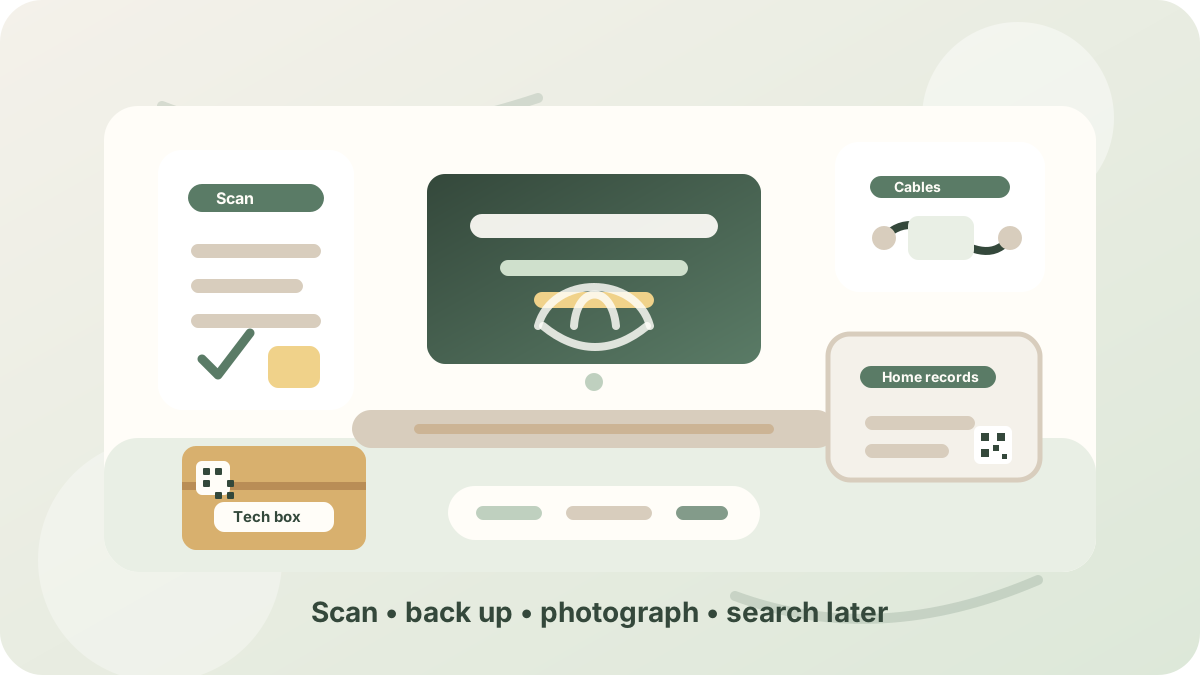
When released, PackQR will let you create private box records for tech accessories, warranties, spare cables, sentimental photos, archived paperwork, old media, chargers and home office equipment. The outside label can stay simple, while the private record holds the detail you may need later.
That means you can search for “router cable”, “passport copy”, “camera charger” or “warranty” without opening every box in the spare room.
The best digital moving system is not flashy. It is quiet, boring and reliable. It helps you find what you need, protects what you would hate to lose and gives your new home fewer piles to manage.
General information: This guide is practical information, not legal, financial, medical or regulated professional advice. Requirements and risks vary by location and circumstances.