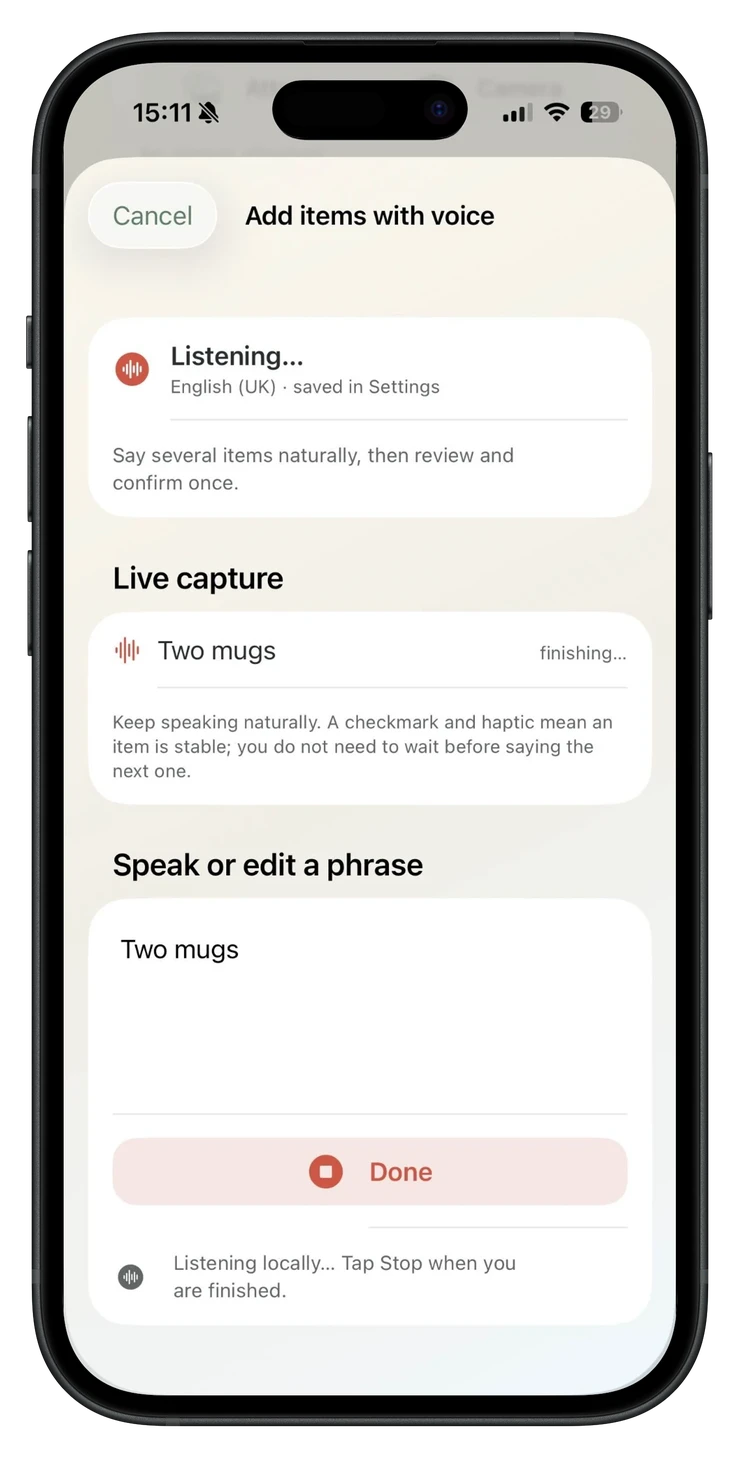
Live, local capture
Visual feedback shows what PackQR is hearing and when the phrase settles.
Voice input in PackQR 1.8
Add several box contents naturally by voice instead of stopping to type every row. PackQR turns speech into editable additions, keeps them temporary, and asks you to confirm before anything is saved.
Less typing, more packing
Try “candles, tea towels, three mugs and a spice rack.” PackQR listens locally, separates the phrase into pending items and keeps quantities editable.
Visual feedback shows what PackQR is hearing and when the phrase settles.
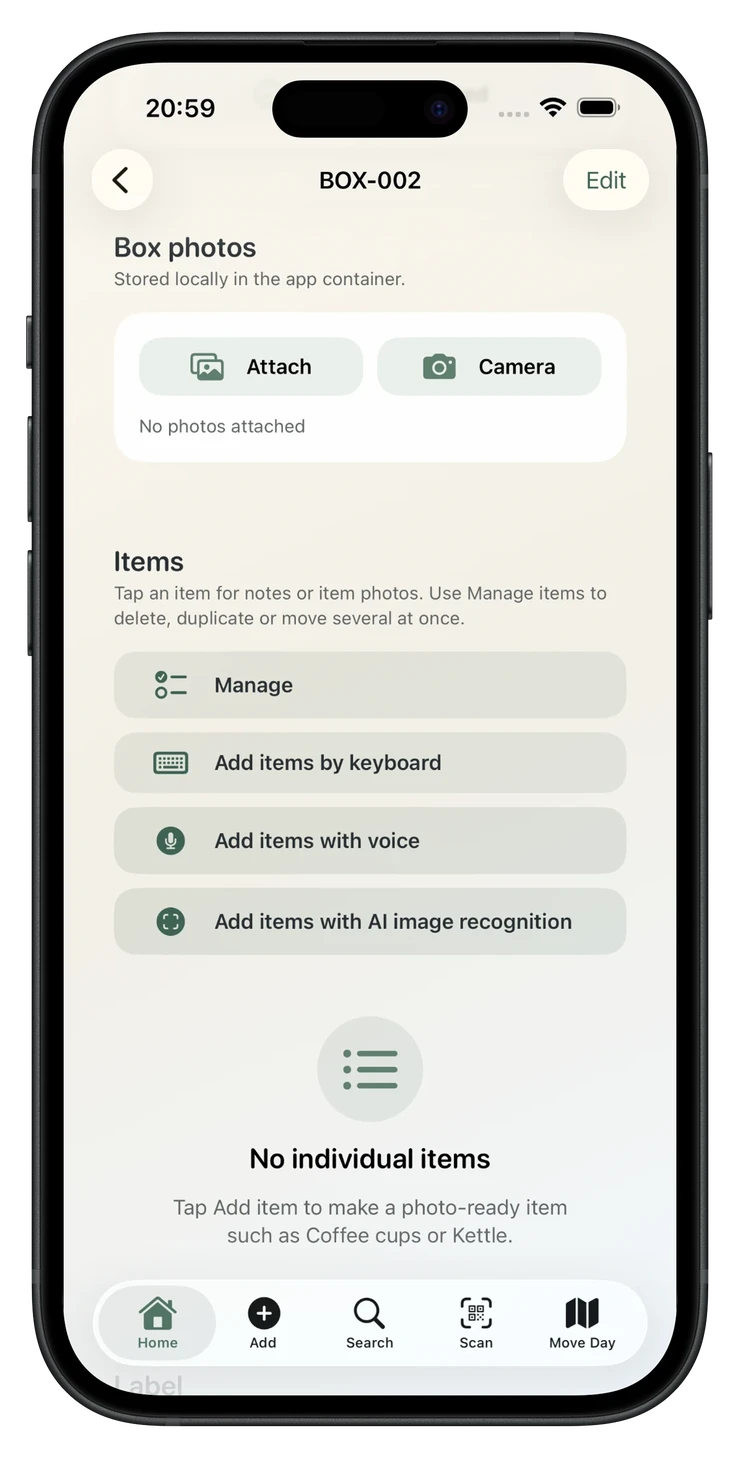
Choose keyboard, voice or AI directly from the box.
Private by design
PackQR requires Apple on-device speech recognition. If the selected voice locale cannot be processed on device, PackQR does not start the voice workflow rather than falling back to online transcription.
PackQR does not create or retain an audio recording. Raw transcript text exists only in memory while the draft is active; confirmed inventory stores the finished item data, not the transcript.
PackQR 1.8 guardrail
Even if you say a phrase such as “three mugs, fifteen pounds each”, PackQR 1.8 does not silently turn the spoken amount into an estimated replacement value.
Currency phrases may be ignored for valuation; any saved replacement value remains a deliberate user entry made later through Item Detail or Review values.
The Pack Batch
PackQR 1.8 keeps voice as more than a microphone button. It connects spoken additions with AI Pack Scan so you can keep momentum and review the box once.
Use AI Pack Scan for an item or related group and keep the reviewed suggestion in the temporary Pack Batch.
If the current AI suggestion is wrong, say the corrected name before keeping it.
Add several extra items by voice without leaving the shared temporary batch.
Edit or remove pending rows, then Confirm box to commit the whole batch together.
The user stays in control throughout: AI and voice propose additions; only the final confirmation changes the saved inventory.
Voice questions
No. PackQR starts voice input only when Apple reports on-device recognition support for the selected production locale.
No. Audio is not written to a PackQR file or attached to an item or backup.
Yes. Multi-item entry with quantities is the main purpose of the feature.
No. Voice input is intentionally addition-only. Use Manage for saved inventory. Before a Pack Batch is confirmed, pending rows can be removed from that temporary batch.
PackQR 1.8 exposes voice input in English (UK) and English (US) in the normal production build. Other app-interface languages can remain available independently of voice.
Yes. AI suggestions and voice additions can be accumulated into the same temporary Pack Batch and confirmed once.
A major speed upgrade
Voice entry closes one of the biggest convenience gaps in PackQR while preserving the local-first privacy model and review-before-save control that distinguish the app.

Private moving inventory
Keep a private record of what is in each box, print QR labels and search or scan offline when you need something later.
£1.99 one-time purchase · No subscription · No PackQR account · App Store privacy label: Data Not Collected · Requires iOS/iPadOS 17.6+