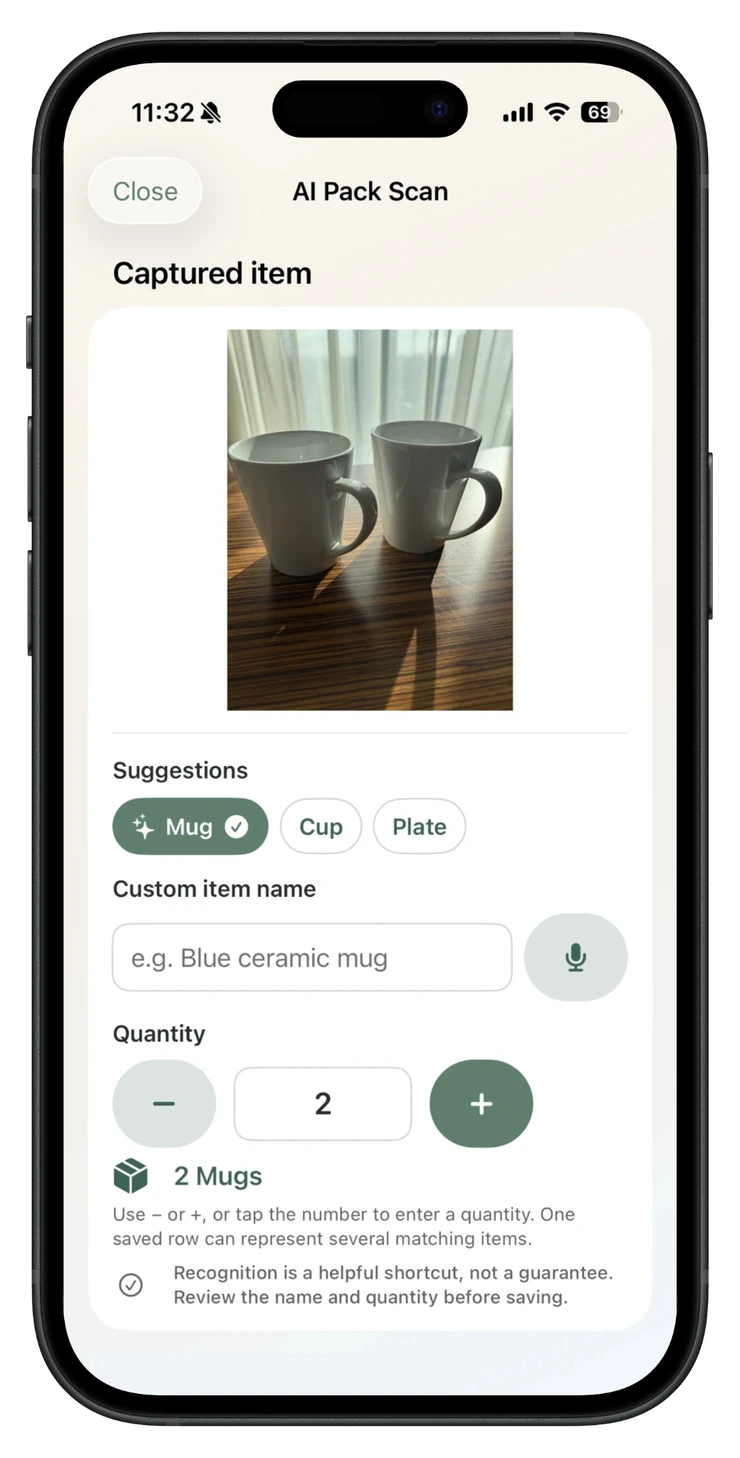
Suggestion, alternatives and quantity
The result remains under the user’s control.
PackQR 1.8 recognition guide
AI Pack Scan can suggest household-item names and quantities from a photograph. In PackQR 1.8 those suggestions can be kept in a shared Pack Batch, corrected by voice and combined with spoken additions before one final confirmation.
The honest expectation
PackQR has been developed and tested with a varied collection of household-item examples. That helps the built-in recognition cover many ordinary packing situations, but it is not a guaranteed catalogue.
The same kind of item can look very different between homes, brands and photographs. A mug may be recognised as a mug, cup, plate or something broader. An unusual object may not receive a useful suggestion at all. The user can always select an alternative, type a custom name and change the quantity.
A wrong or uncertain suggestion is an expected limitation of the feature. PackQR deliberately keeps the review step visible instead of pretending that recognition is infallible.
The result remains under the user’s control.
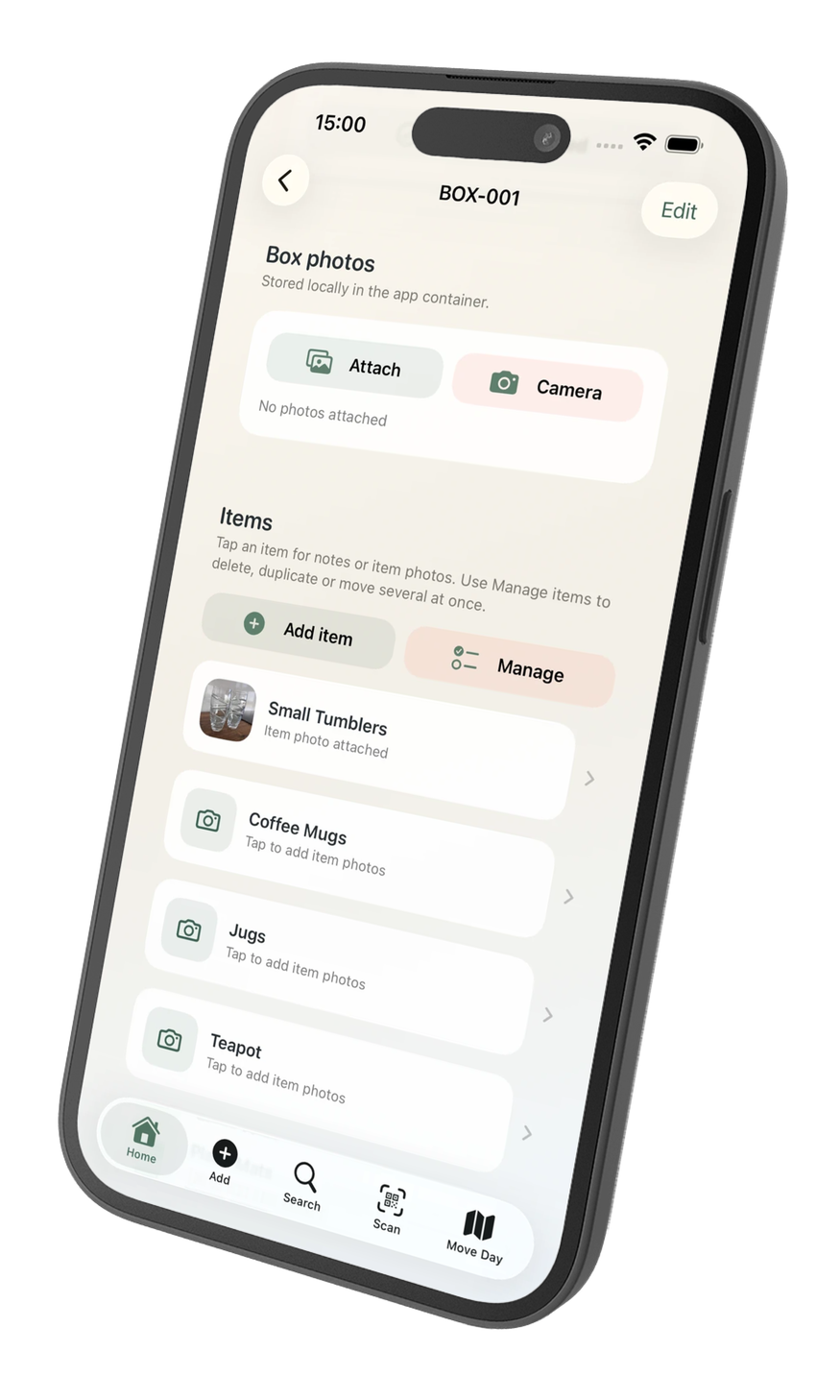
The reviewed item and photo remain local.
PackQR 1.8 guardrail
Recognition remains about item identity and quantity. Even if a photograph contains a brand, model or price-like text, PackQR 1.8 does not infer, look up or silently save a monetary value.
If you want a replacement-value record, add the amount deliberately later through Item Detail or Review values.
New in 1.4
Keep a reviewed suggestion in a temporary Pack Batch, scan another item, correct a current suggestion by voice, or say several missing items. Review the combined batch and confirm the box once.
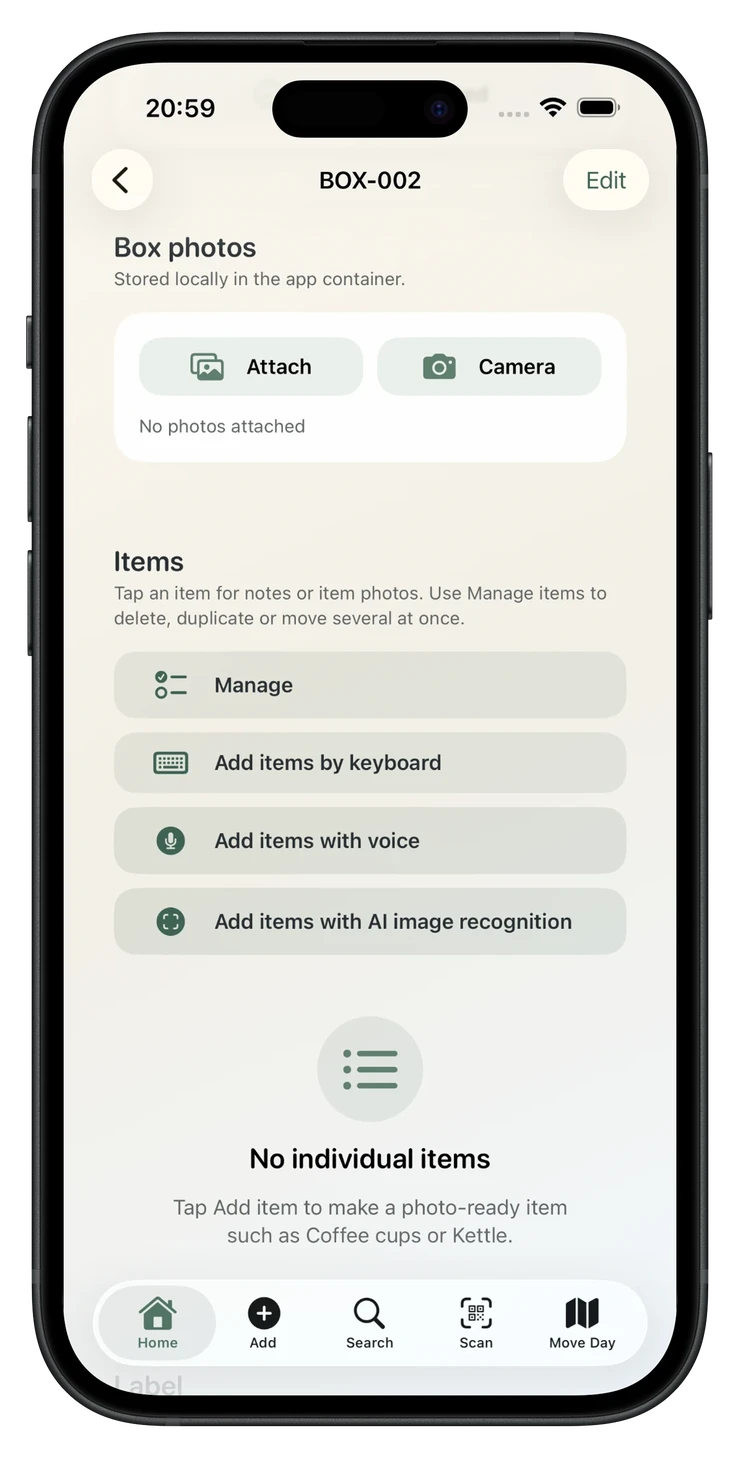
Choose the input that is fastest for the item in front of you.
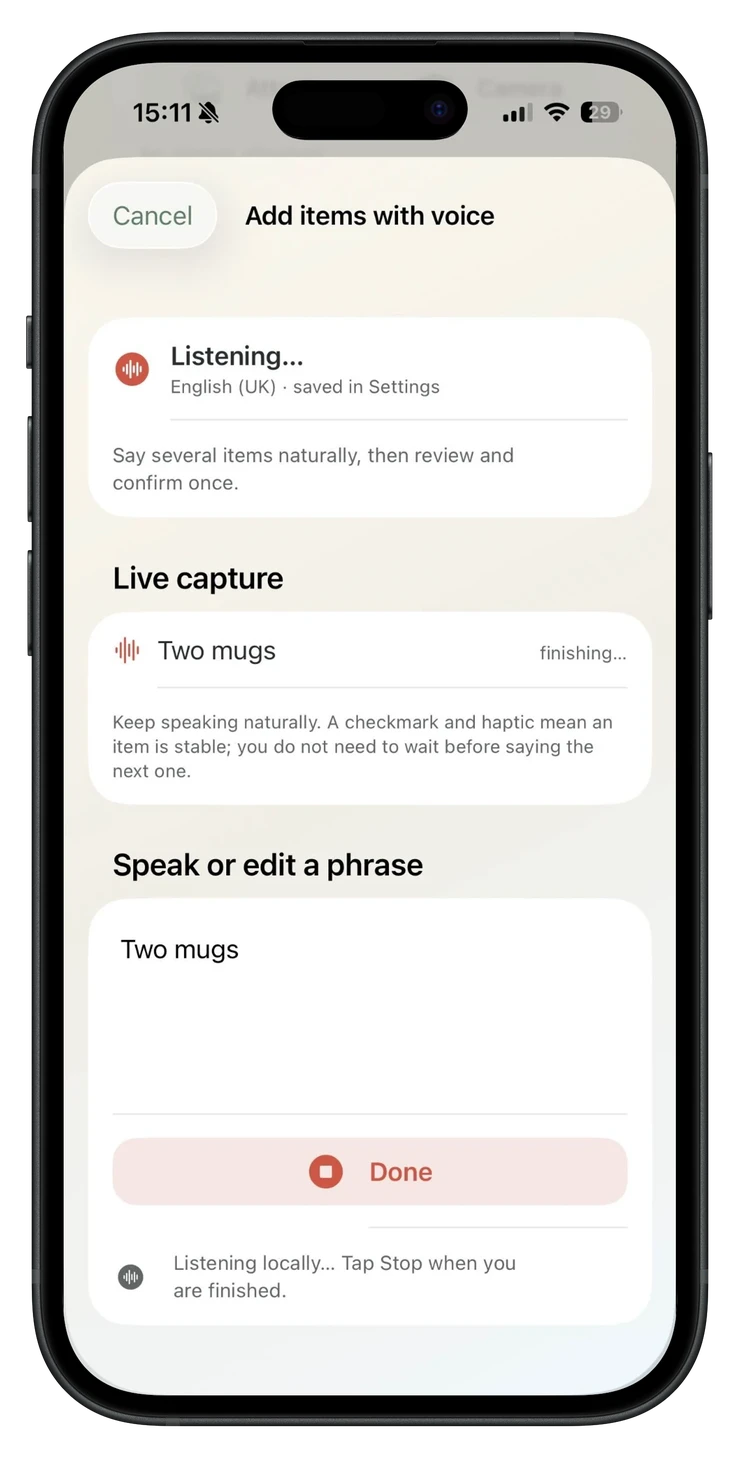
Spoken additions stay editable until the batch is confirmed.
Why local matters
Household photographs and inventories can reveal a great deal about a home. PackQR keeps the core recognition workflow on the iPhone or iPad using Apple Vision.
An active internet connection is not required. Item photographs are not uploaded to a PackQR server or hosted large-AI recognition service. The feature does not depend on an ongoing subscription to an external AI-model API.
Why results vary
Recognition sees the photograph rather than the object as a person understands it. Small changes can alter the available visual evidence.
Photograph one item or one related group at a time, keep it large in the frame, use even light and try another angle when the first result is uncertain.
Optional personalised learning
When learning is enabled, PackQR can create a compact visual representation after the user deliberately corrects or teaches a saved item. It does not silently learn from every photograph.
Later photographs can be compared with those locally stored examples. Several useful views of a similar object can make the learned suggestion stronger. However, one example is not a promise, and even a learned label may remain an alternative when the new photograph is different or conflicts with other evidence.
Recognition questions
No. It is a practical shortcut, not a universal or guaranteed identification system.
Yes. Choose another suggestion, type a custom name, change the quantity, or use Correct by voice for the current pending AI suggestion before keeping it.
Yes. PackQR 1.8 can accumulate reviewed AI suggestions and spoken additions in one temporary Pack Batch, then let you review and confirm once.
No. The core recognition workflow runs on the device after the app is installed.
No. PackQR uses Apple Vision locally and does not upload item photographs to a hosted large-AI recognition model.
The model only receives visual evidence from the photograph. Lighting, angle, reflection, distance, background, obstruction and object variation can all influence the result.
No. Deliberately taught examples may make similar suggestions more useful over time, but learned recognition remains an aid rather than a guarantee.
Keep packing
PackQR is designed so uncertain recognition never blocks the moving inventory workflow.

Private moving inventory
Keep a private record of what is in each box, print QR labels and search or scan offline when you need something later.
£1.99 one-time purchase · No subscription · No PackQR account · App Store privacy label: Data Not Collected · Requires iOS/iPadOS 17.6+