Choose what they can see
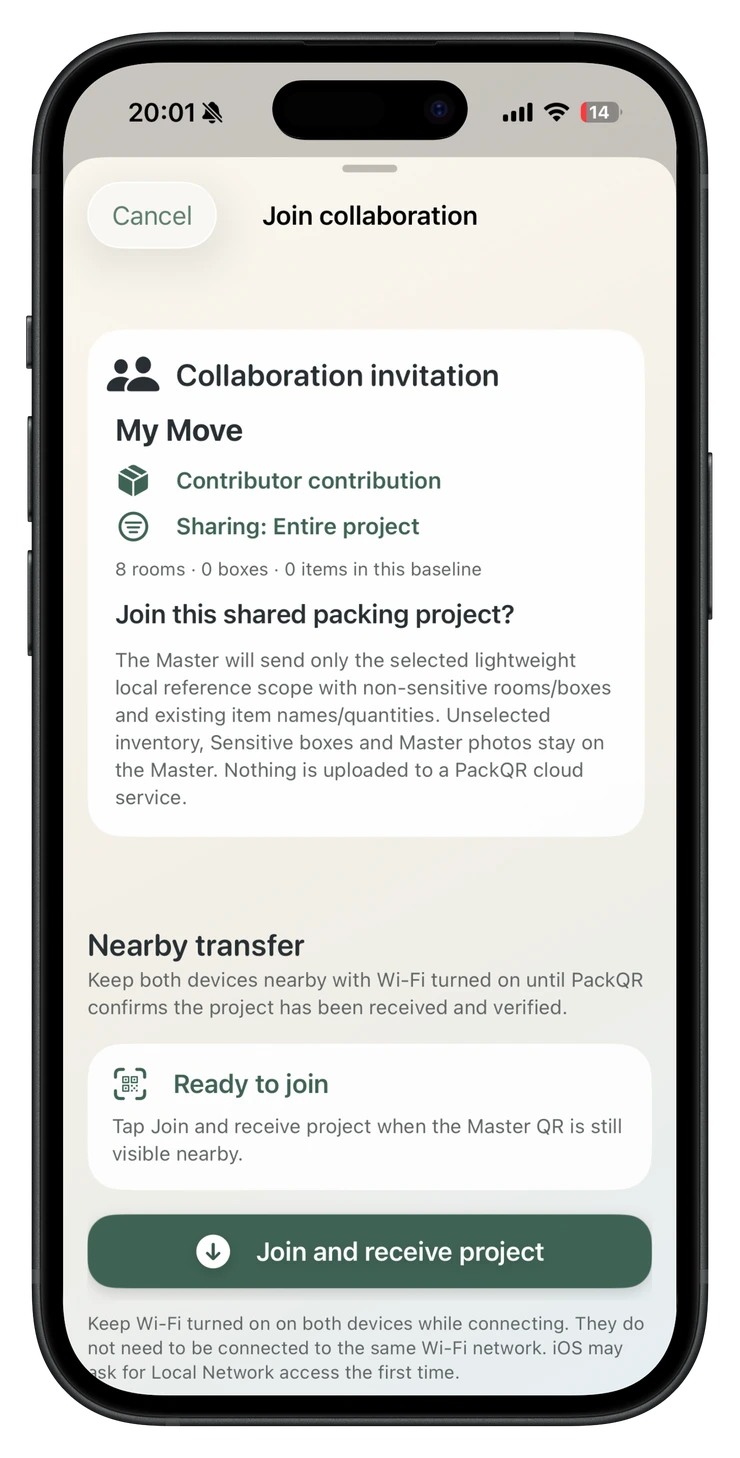
Share the whole eligible project, selected rooms or selected boxes before the QR appears. Anything outside that choice is not transferred.
Private two-person moving inventory
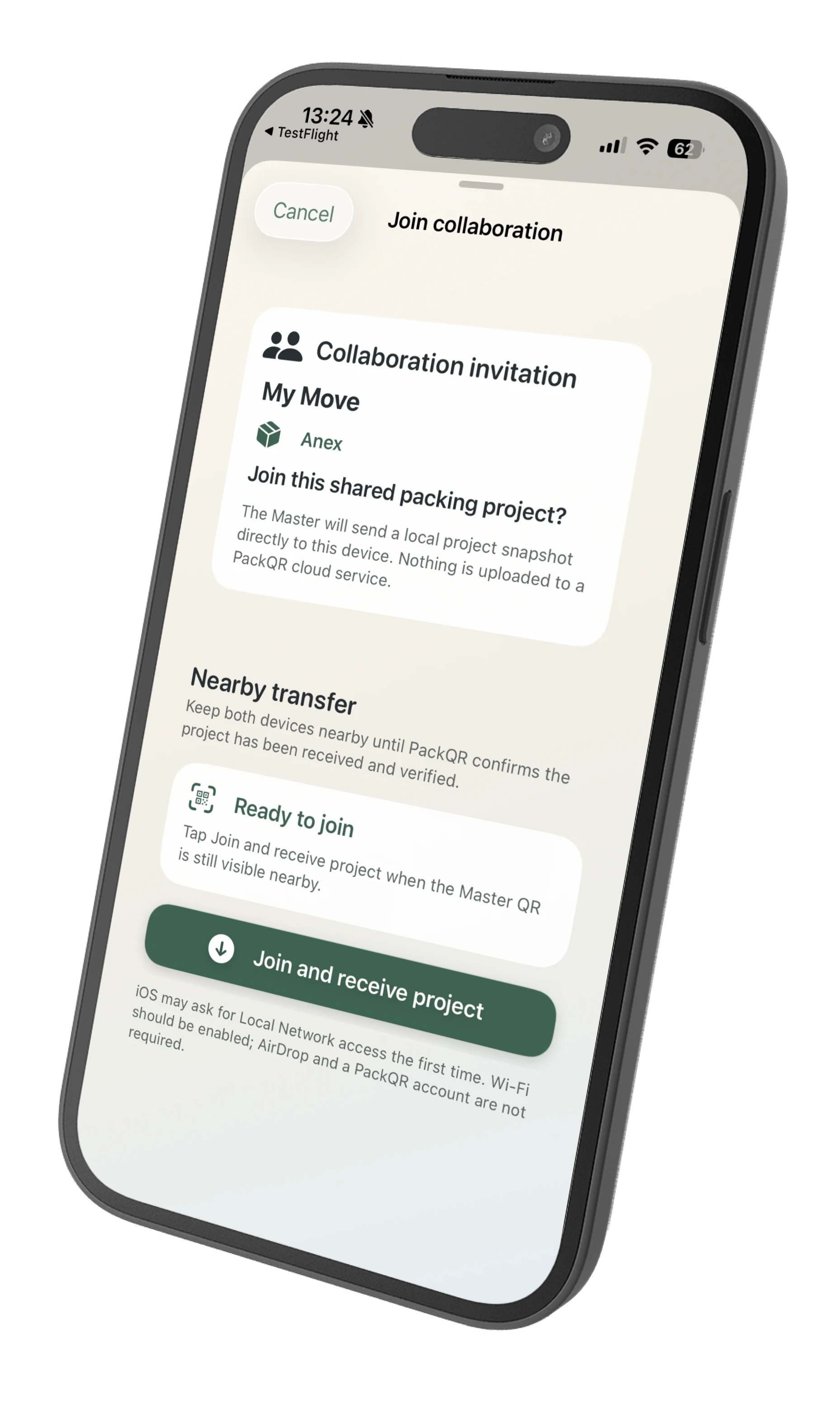
One person keeps the authoritative moving inventory. A second nearby PackQR device receives only the packing context you choose, then can work independently—even offline or somewhere else—and return additions directly or as an encrypted remote handoff for review later.
No PackQR account. No PackQR cloud inventory. No live sync.

In plain English
On your iPhone, choose the bedrooms and bathroom, then show the collaboration QR. Your partner scans it in PackQR and receives those rooms—not your entire moving inventory and not any Sensitive Boxes.
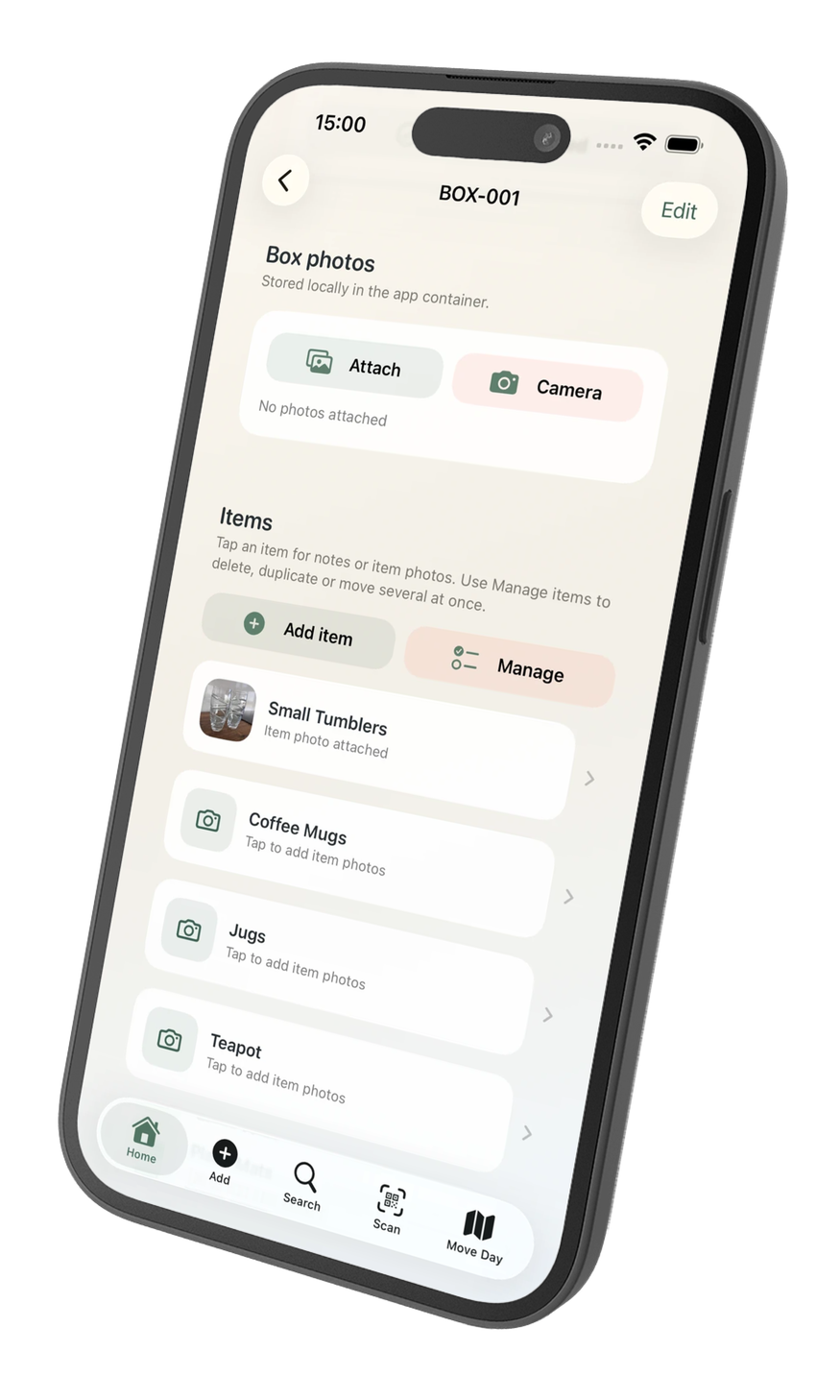
They can take their phone upstairs and keep packing. They can create boxes, add items, use supported voice input or AI Pack Scan, take photos and optionally add estimated replacement values to Contributor-created items. They do not need to stay connected to your phone while they work.
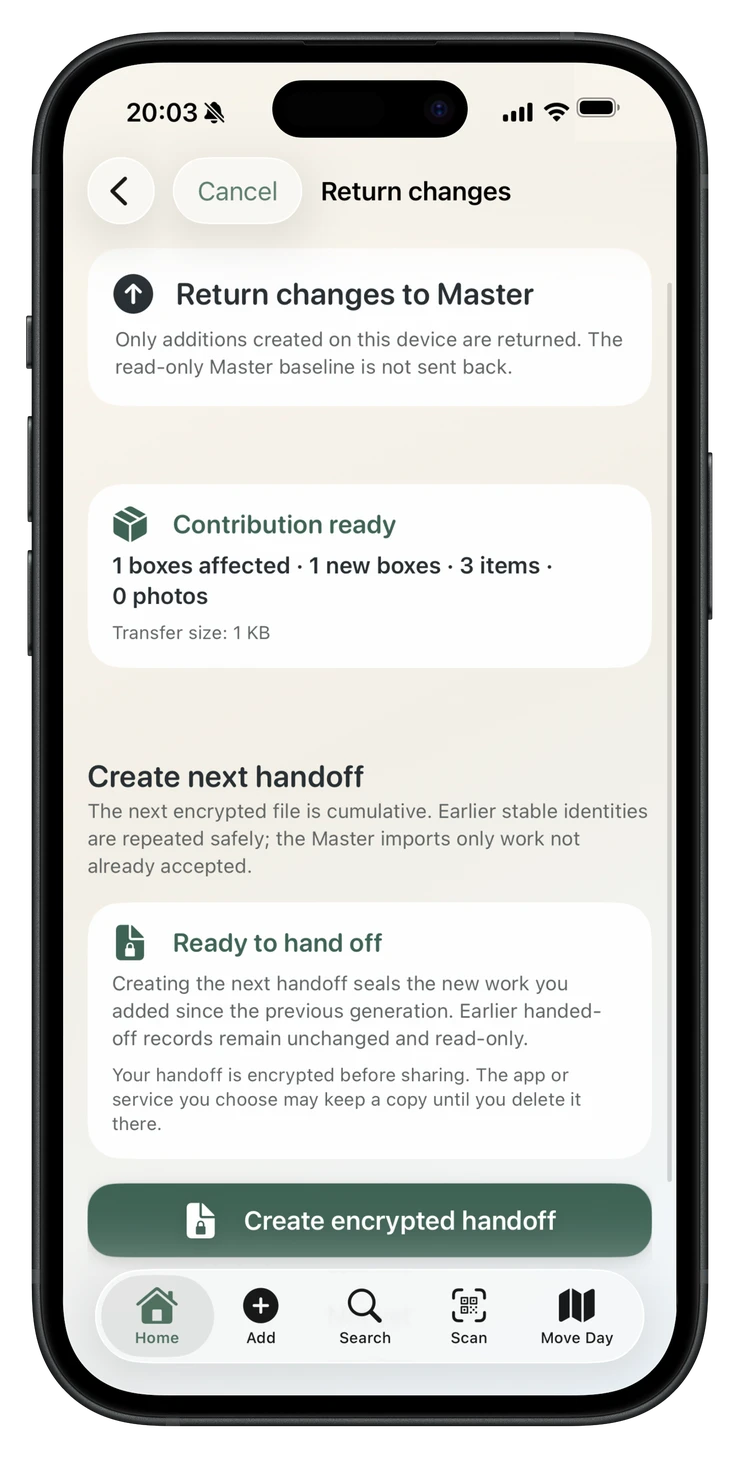
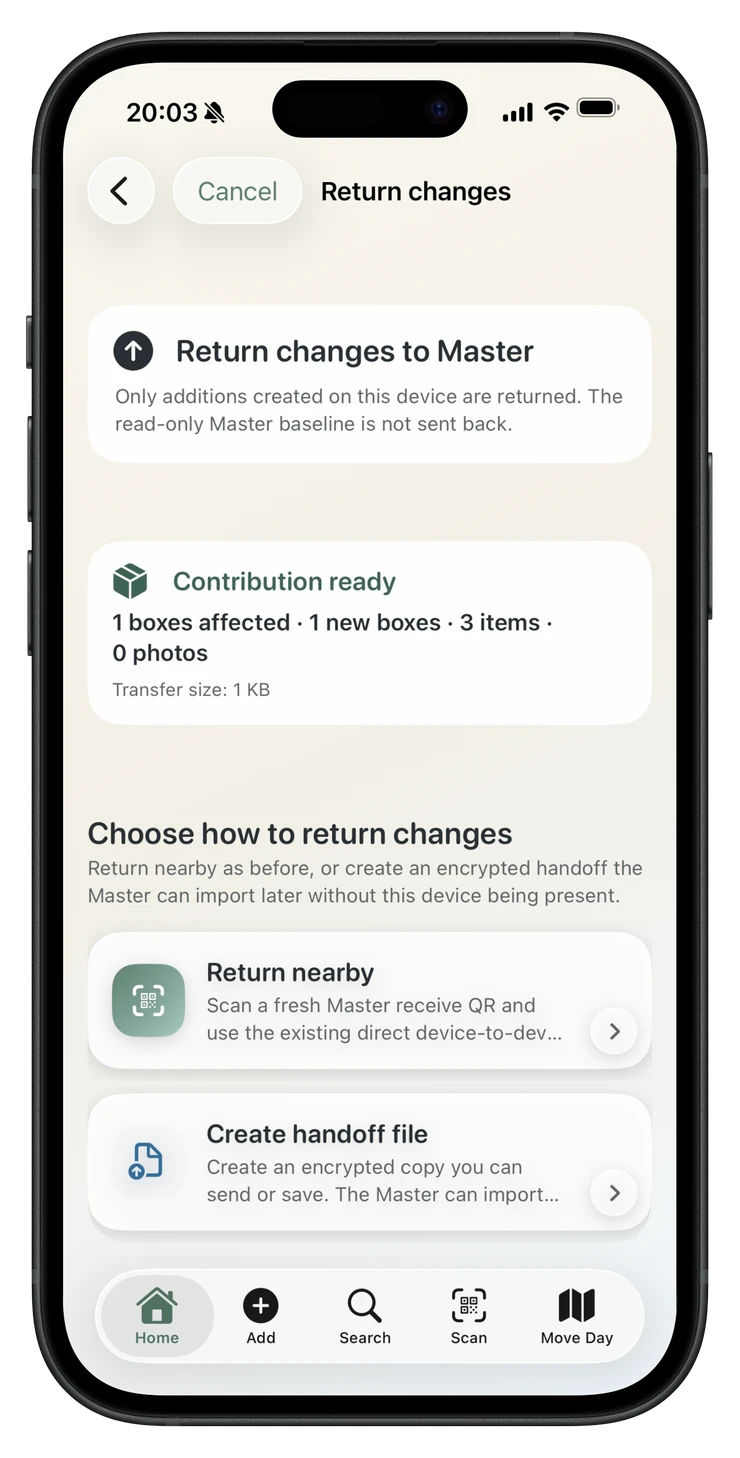
When they are finished, your partner can return what they added directly when nearby or send the encrypted PackQR handoff file back remotely—for example by email. You see a summary, choose what to import, and your main inventory changes only after you confirm it.
How PackQR collaboration works
Share the whole eligible project, selected rooms or selected boxes before the QR appears. Anything outside that choice is not transferred.
The second PackQR device scans the invitation and receives a lightweight local packing copy. Sensitive Master boxes are excluded.
The Contributor works independently and can be offline after the handoff. The Master can keep packing on the authoritative project too.
When nearby, the Contributor can return additions through the direct receive flow. If they are elsewhere, they can share the encrypted PackQR handoff file back—for example by email. The Master reviews destination groups before importing either way.
PackQR 1.8 collaboration
The initial QR handoff happens with both devices nearby. After that, the Contributor can keep packing independently and either return changes directly when nearby or create an encrypted handoff file to send back remotely.
Share less by design
If you share the Kitchen, the Contributor does not secretly receive your Bedroom or Garage records in a hidden state. Out-of-scope Master records were never transferred in that collaboration copy.
Important limitation
The Master and Contributor need to be together for the initial QR pairing and direct transfer of the scoped packing copy. PackQR does not start a collaboration remotely through a PackQR server.
After that first handoff, the Contributor can leave, lose internet access and keep packing locally. When ready, they can return additions directly while nearby or send the encrypted PackQR handoff file back remotely—for example by email or another iOS share method. PackQR does not host or relay the inventory; if you choose email or another sharing service, that service transports the encrypted file.
If you need to begin collaboration with someone who was never nearby for the initial handoff, or need live simultaneous remote editing, PackQR 1.8 is not designed for that workflow.
After one batch
After a successful import, Continue packing together creates a new collaboration session from the updated Master inventory. The previous scope is reused where it still makes sense, but the new round gets fresh pairing material and a fresh local baseline.
This makes repeat collaboration smoother without pretending the two databases are one live-synchronised inventory.
Which model suits you?
You are packing with one other person, want to limit what their device receives, expect offline periods, and prefer to review additions before merging them.
You need several people editing at once, instant changes on every device, collaboration that can begin remotely without an initial nearby handoff, browser access, or an always-current shared cloud inventory.
Refined for PackQR 1.8
PackQR 1.8 keeps the Master + Contributor model while hardening the handoff experience. Pairing QR preparation is warmed away from the main interface so the invitation appears responsively, and returned collaboration files use PackQR’s dedicated encrypted handoff type so additions can be returned directly when nearby or remotely through a user-chosen share method such as email. The Master still reviews additions before import.
Collaboration questions
Yes. PackQR 1.8 uses two normal PackQR installations. There is no separate free guest or companion client.
No. One Master project supports one active Contributor collaboration session at a time. You can run repeat rounds, but simultaneous multi-Contributor work is not part of version 1.8.
Existing Master rooms, boxes and items are reference context on the Contributor and remain read-only. The Contributor can add new items to shared destinations and create their own new boxes and other additions.
No. Existing Master item values and value rollups are omitted from the Contributor baseline. A Contributor-created item can carry a value back as additive metadata, using the project currency, without revealing existing Master values.
No. The Master sees Contributor additions only when they are explicitly returned and imported. Continue packing together starts another fresh session rather than a permanent sync channel.
No. For the initial QR handoff, Wi-Fi should be enabled and the devices should remain nearby while PackQR establishes the direct transfer. A later direct return also needs the devices nearby. If the Contributor returns an encrypted handoff file remotely, the devices do not need to be together or on the same network.
Yes. After the initial nearby handoff, the Contributor can keep packing elsewhere and share the encrypted PackQR return file back to the Master—for example by email. The Master opens the file in PackQR and reviews the additions before import.
Private moving inventory
Keep a private record of what is in each box, print QR labels and search or scan offline when you need something later.
£1.99 one-time purchase · No subscription · No PackQR account · App Store privacy label: Data Not Collected · Requires iOS/iPadOS 17.6+