Today, not everything
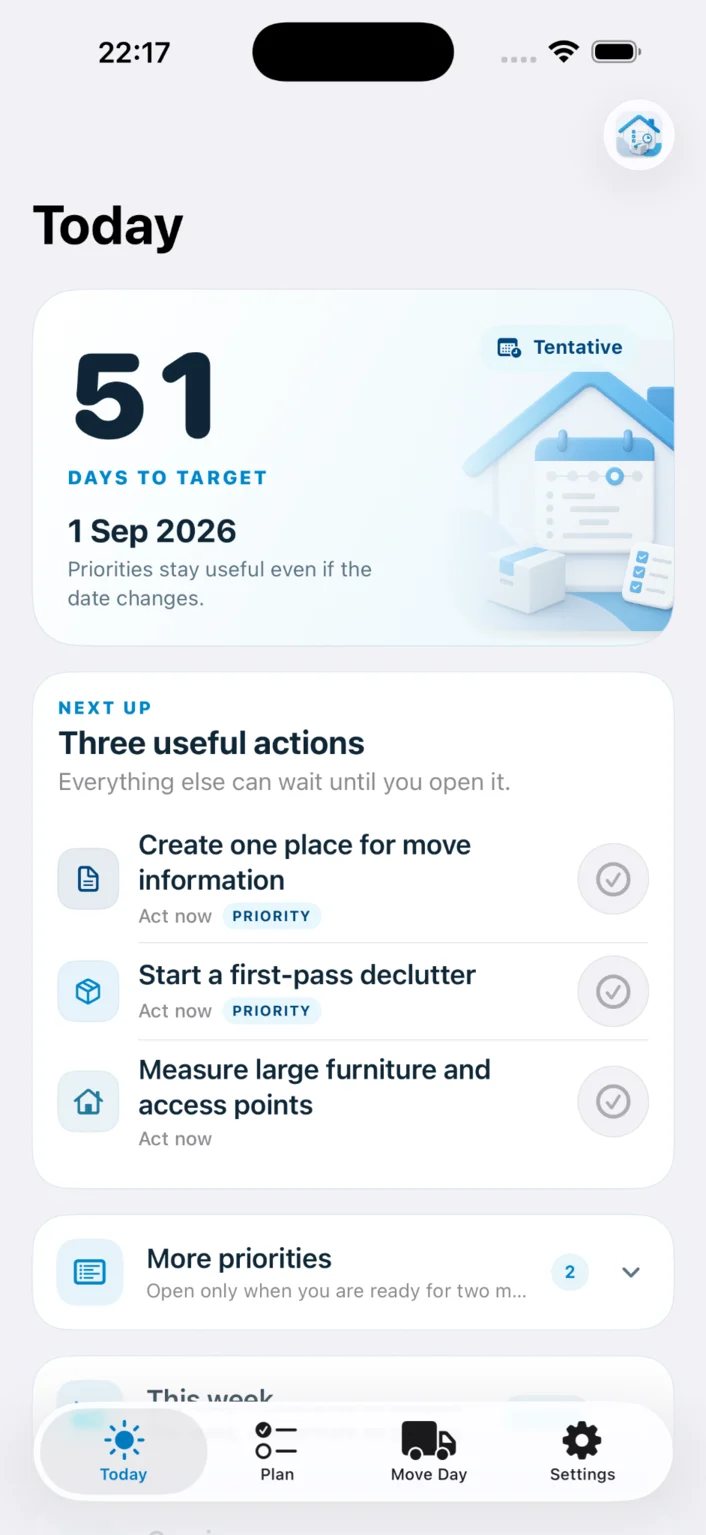
See three useful actions first. The complete plan remains available without crowding the daily view.
A 10-second daily viewFree for iPhone & iPad · adaptive, private and local-first
Set your move date—even when it is tentative—and get a practical UK moving checklist that adjusts as things change. Open the app and see the next useful actions, not a wall of overdue tasks.
Free. Private. No account. No PackQR purchase required.
Less software. More certainty.
Move Planner turns a moving date, date confidence and household needs into a focused timeline. It is a complete app in its own right, not a limited gateway to PackQR.
See three useful actions first. The complete plan remains available without crowding the daily view.
A 10-second daily viewChange the date or confidence level and incomplete generated tasks reorganise around the new reality.
Completed work stays completeEvery curated action explains why its timing matters and what to hold back while a date is uncertain.
Clear reasons, not busyworkThe final 48 hours switch to an operational checklist for access, keys, meters and essentials.
Support through the first weekOne useful badge and consolidated daily briefings surface genuinely actionable work without turning the app into a red-count dashboard.
Open Today · Remind tomorrowHome Screen and Lock Screen widgets show the countdown and next useful action without requiring another notification.
Small, medium and Lock Screen formatsPreview the next week in a compact sheet, including date-confirmation prompts when a tentative move needs review.
Look ahead without opening the full planStart a Live Activity yourself for the final handover and keep the next critical check visible on the Lock Screen or Dynamic Island.
Never starts automaticallyVersion 1.3 · Build 69 · released 30 September 2026
Move Planner 1.3 is now available free on the App Store. The release supports iPhone layouts that can change between compact and regular widths while preserving the familiar experience on existing iPhone and iPad devices.
Plan search and Daily Briefing presentation now respond to available horizontal space rather than relying on a fixed device category.
Compact and regular widths supportedCore views preserve their live SwiftUI hierarchy across width changes so deeply scrolled content can remain in place instead of being rebuilt.
No manual scroll-offset restorationThe Plan keeps one persistent list and one system-managed search attachment across layout transitions, retaining search, filter and expansion state.
One persistent content hierarchyDaily Briefing chooses its presentation style when opened and keeps that host while visible, avoiding a rebuild if the available width changes.
Designed for live layout transitions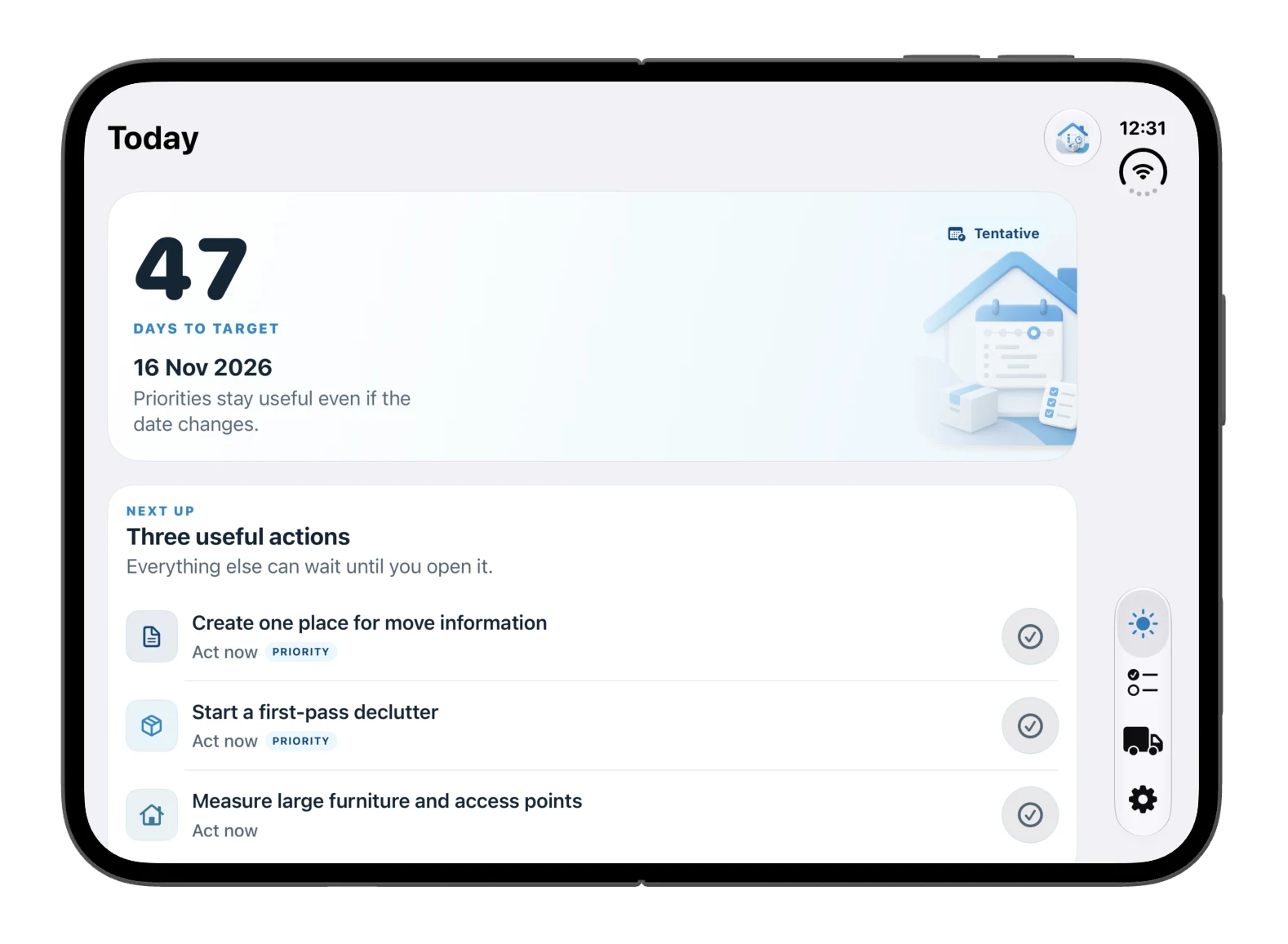

These previews show the adaptive compact and regular-width behaviour shipped in version 1.3. They illustrate layout behaviour rather than a claim about any particular hardware model.
Privacy and compatibility retained: version 1.3 does not expand the optional PackQR data contract, add an account, add analytics or change the app’s local-first storage model. Read the privacy details.
Inside the app
These screens show the Move Planner interface and core journeys. Version 1.3 keeps the same product model while improving adaptive-layout behaviour.
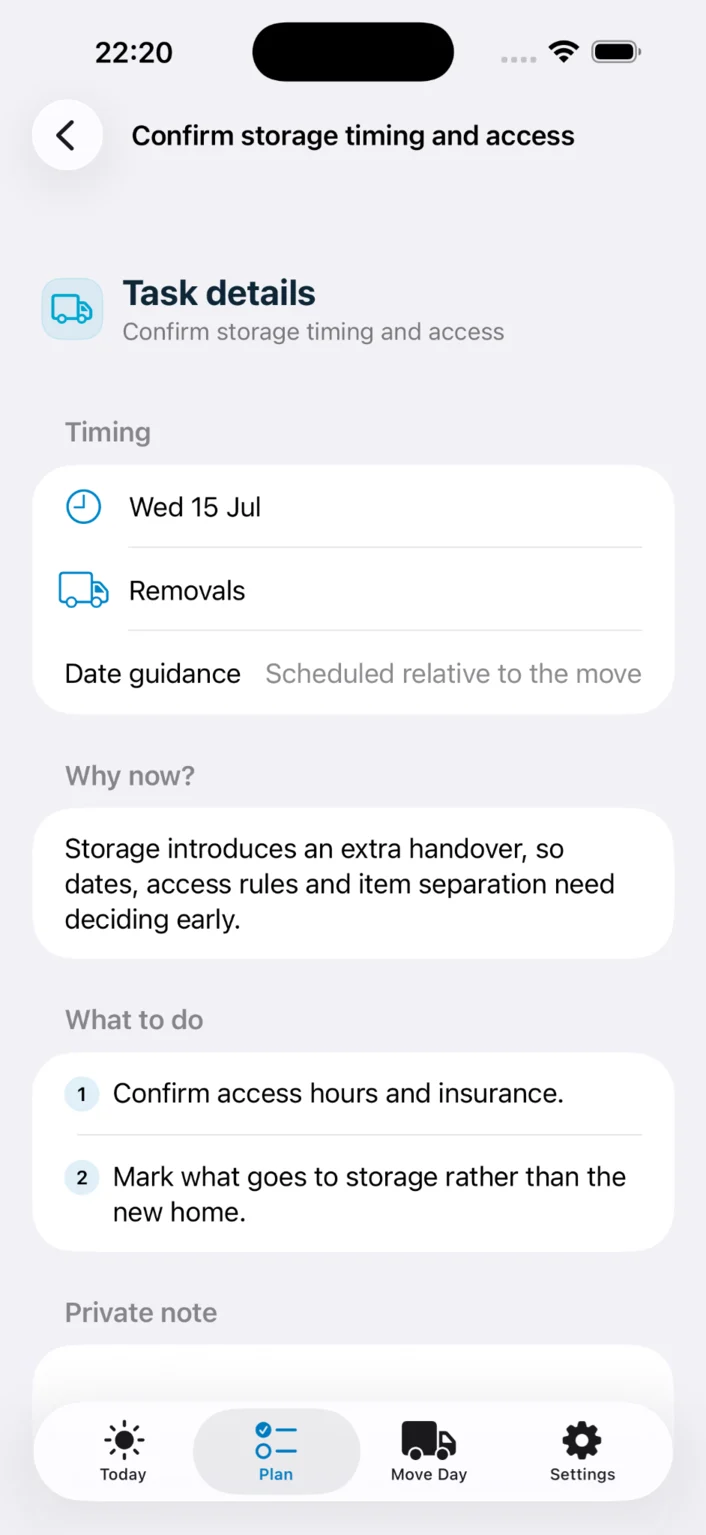
Useful guidance, not just a due date
Open a task to see its recommended timing, a concise Why now? explanation and practical next steps. Date-sensitive guidance helps you avoid acting too early when the move is not yet fixed.
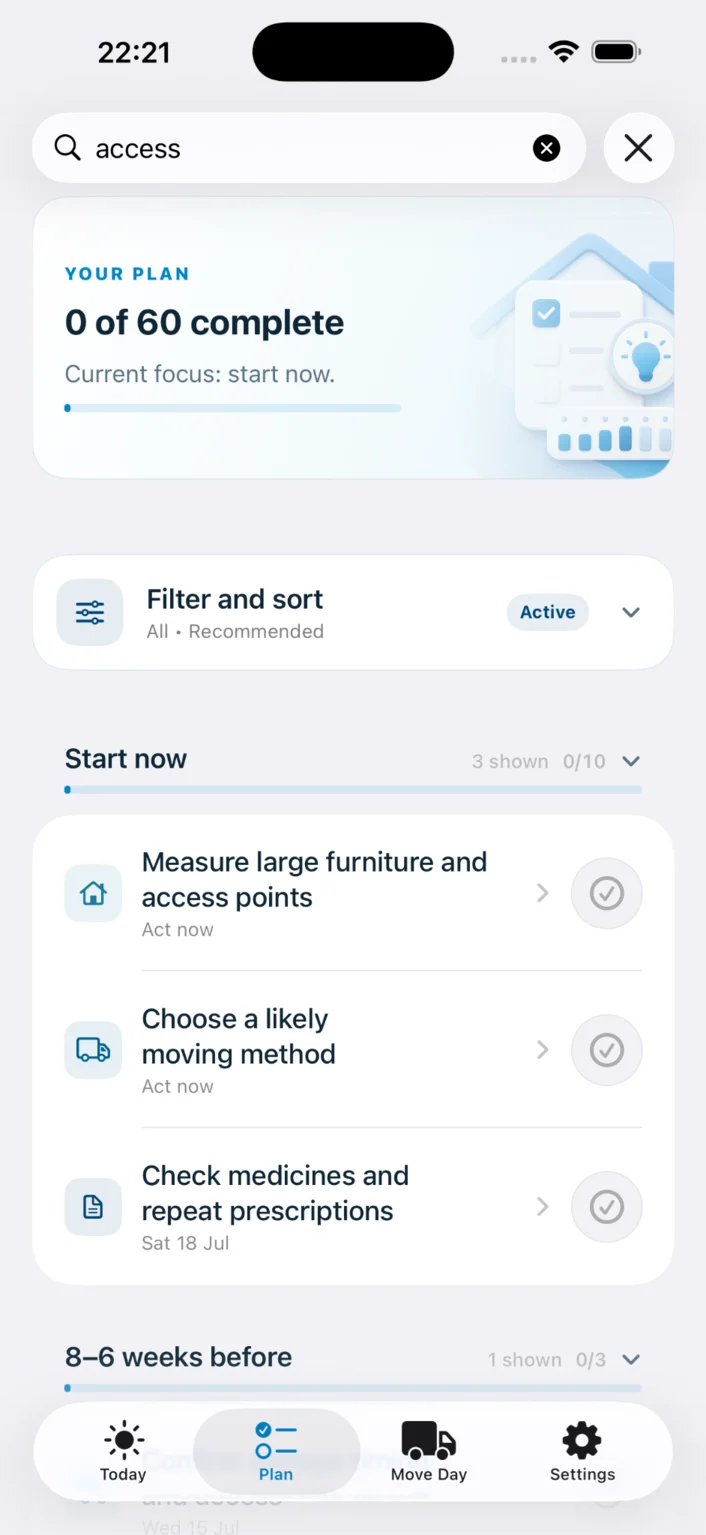
The complete moving timeline
Browse tasks by phase, search for a specific subject and narrow the plan by status or relevance. The full plan supports the calm Today view without taking it over.
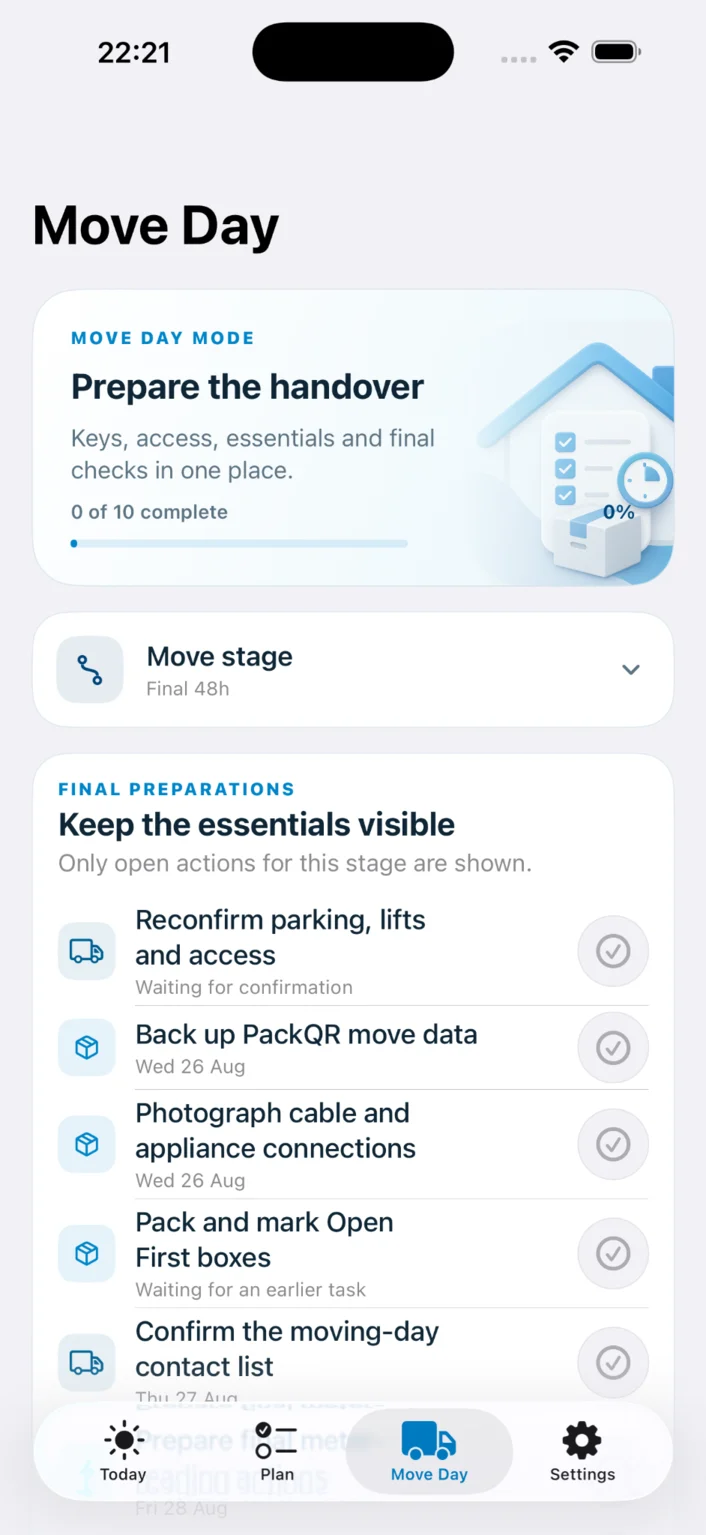
The final 48 hours
Move Day mode replaces long-range planning with a focused operational list for access, parking, keys, essentials, backups and final checks.
Useful without nagging
The public release combines low-noise reminders with glanceable system surfaces. Everything remains optional and local to the device.
The app icon normally shows 1 only when an unseen actionable reminder is waiting. It does not display the total unfinished task count.
Clears when Today is viewedSame-day task reminders can be consolidated into one calm briefing. Weekly summaries are silent by default.
No notification serverUse notification actions or app-icon shortcuts to open Today, add a task, view the full Plan or jump to Move Day.
Fewer taps under pressureArchiving or resetting a plan removes Planner reminders, delivered notifications, badges and any active Move Day Live Activity.
Nothing keeps nagging after the moveAvailable now: badges, widgets, quick actions and the user-started Move Day Live Activity are included in Move Planner. Download the free app on the App Store.
Works alone. Works better together.
The apps have separate jobs. Move Planner decides what to do and when. PackQR records, labels, scans and finds physical boxes.

Use the full moving plan without installing or purchasing the PackQR box app.

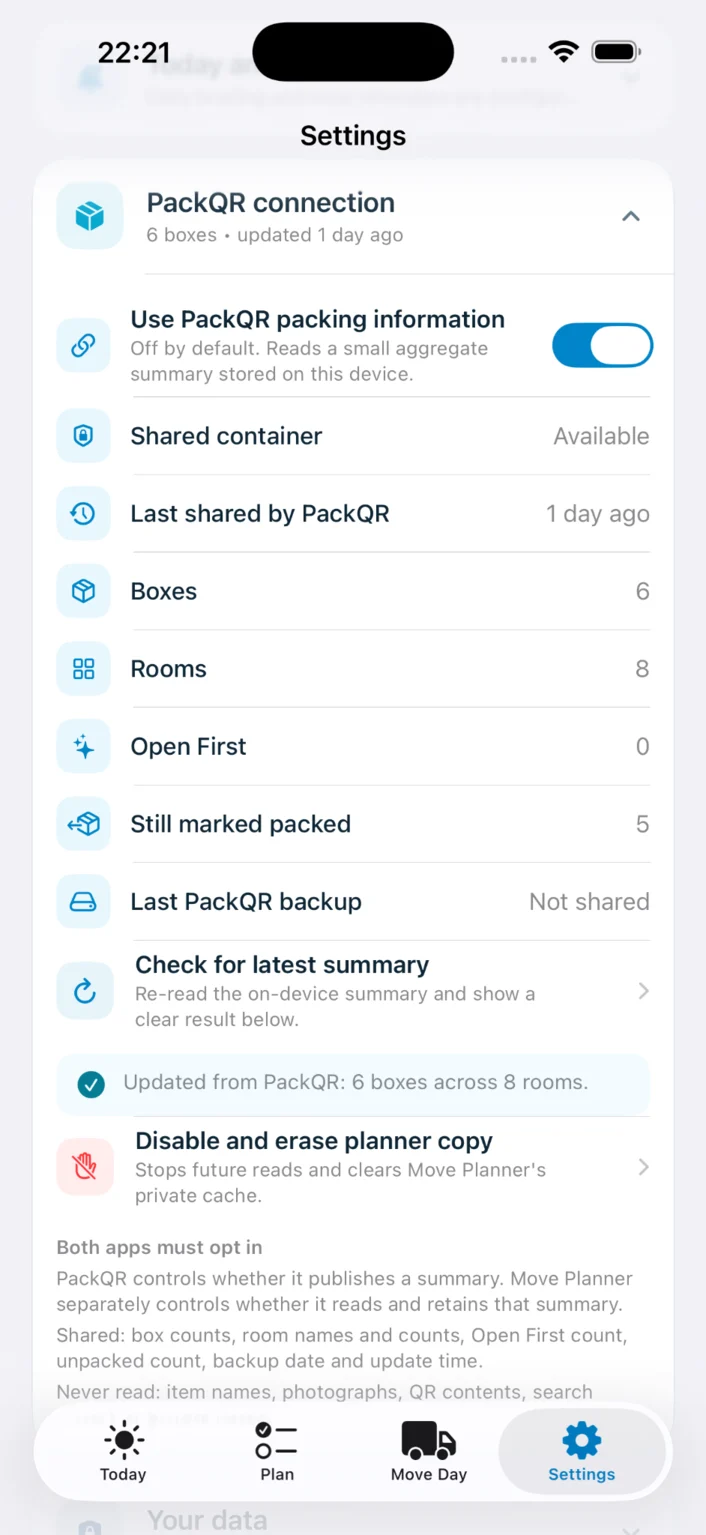
Optional on-device summaries can show whether rooms, essentials and backups need attention, then open the relevant PackQR room or workflow.
No planner feature is locked behind PackQR. Both apps must opt in. The planner reads only a small versioned on-device summary and uses validated local handoffs—not item names, photographs, QR contents, private notes or backup contents.
Private by default
The app does not need a hosted household profile. Plans, completions, notes, preferences and reminders stay local unless you choose to export them.
Questions
Yes. Move Planner is a free, ad-free companion app for iPhone and iPad, with no subscription.
No. Move Planner is designed as a complete standalone application. PackQR is optional and adds contextual packing progress when installed.
Incomplete generated tasks are recalculated within their safe windows. Completed work remains complete, and the app provides a compact summary of what moved.
Core plan creation, task management, rescheduling and local reminders are designed to work offline. The website provides help, legal information and optional future content updates.
The current release is UK-first, with date confidence and task packs designed around common buyer, seller, renter, student and downsizer scenarios.
Badges normally show only one unseen actionable update, same-day reminders can be consolidated, weekly briefings are silent by default, and everything can be disabled independently.
No hosted Planner account is required. The app uses local app and extension data on the device. The Move Day Live Activity starts only when you choose.
Move Planner by PackQR is available free on the App Store for iPhone and iPad.
Move Planner by PackQR
Available now for iPhone and iPad as a free standalone app.