At a glance
A home command center gives everyday essentials a permanent place after the move. Set up zones for keys, charging, documents and stored items so the new home stays usable instead of filling with temporary piles.
Post-move systems
The best time to choose where things live is before old habits settle in.
A new home gives you one useful advantage: nothing has a permanent place yet.
That can feel chaotic, but it is also an opportunity. Before keys start appearing on random shelves, chargers spread across every room and paperwork becomes a pile on the kitchen counter, you can build a simple system that removes daily friction.
A home command center does not need to be a large desk, a perfect wall of storage or a complicated family planner. It is simply a small set of reliable zones for the things you use, lose or need to act on often.
The aim is not to make the home look staged. It is to make ordinary life easier.
Start with the things that cause the most repeat searches.
Every home has a few items that create unnecessary stress when they do not have a clear home.
Keys. Wallets. Glasses. Chargers. Post. School forms. Pet leads. Spare batteries. Tape. Important documents. The one cable you only need when something stops working.
Those items deserve better than “somewhere safe”. Somewhere safe is usually where things disappear.
Choose visible, easy-to-use locations first. If the correct place requires opening three doors or walking to the other side of the house, it will not become a habit. The best system is the one that is easier than leaving things on the nearest flat surface.
Build a launchpad near the door.
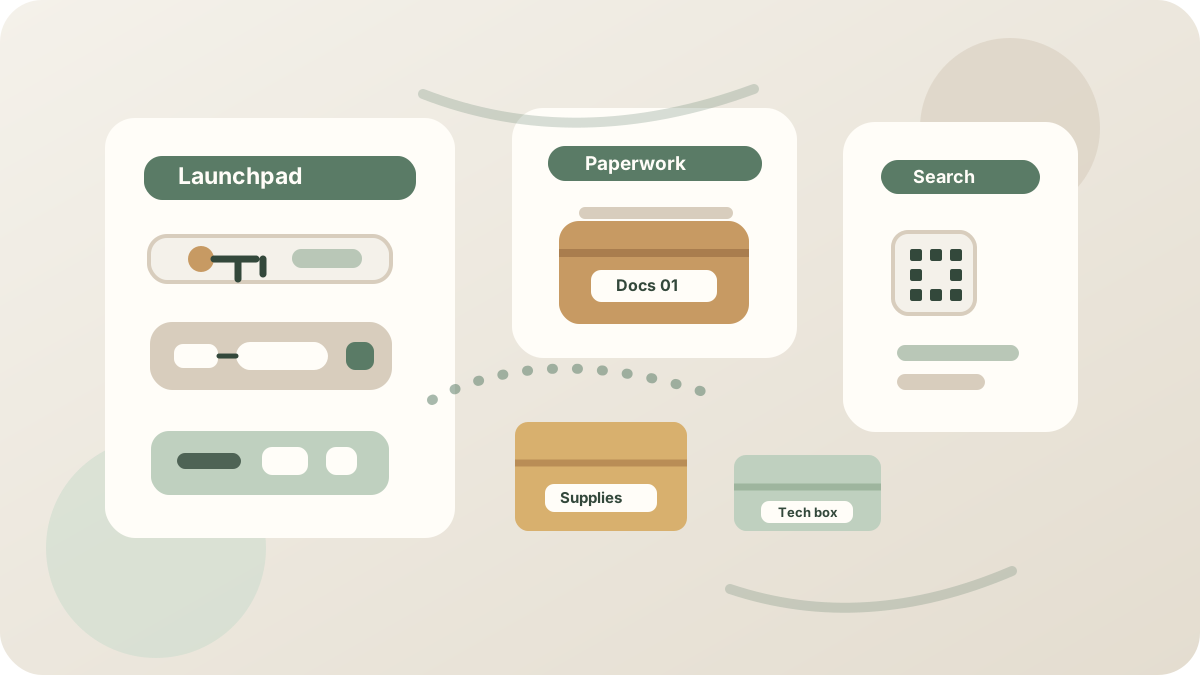
The launchpad is the small area where everyday leaving-and-returning items land.
It might be a tray, a bowl, a narrow shelf, a set of hooks, a drawer or a small basket. The shape does not matter as much as the rule: the same things go back to the same place every time.
Use it for keys, wallets, sunglasses, travel cards, work passes, pet leads, reusable shopping bags and anything else you routinely need as you leave the house.
Keep the launchpad small. If it becomes a general dumping area, it stops working. This is not the place for every receipt, loose tool or half-opened parcel. It is the place for the things that need to be ready when you walk out.
Create a charging zone that does not take over the room.
Chargers multiply quickly after a move.
Phones, tablets, watches, headphones, power banks, torches, game controllers, cameras and old cables all want somewhere to live. If you do not choose a charging zone, they will usually claim the kitchen worktop, bedside table or floor beside the sofa.
Pick one main charging location away from the busiest surfaces. A drawer, sideboard, desk shelf or small cabinet can work well if there is safe access to power and enough ventilation.
Group cables by type and keep only the ones you actually use. Spare and specialist cables can go into a labelled tech box rather than staying tangled in daily view.
With PackQR, that tech box can be searchable without listing every cable on the outside. Label it simply, then record the contents privately so you can find the right adapter later without tipping the whole box out.
Use a two-part paperwork system.
Paperwork causes clutter because it arrives slowly and asks for decisions.
Some papers need action. Some need keeping. Some should be recycled immediately. Without a system, they all become one pile.
Set up two clear places.
- Action papers: forms, bills, appointments, school notes, renewals, returns and anything that needs a decision soon.
- Archive papers: identity documents, home records, insurance, manuals, warranties, tax records, medical notes and long-term paperwork.
Action papers should stay accessible and visible enough that they do not disappear. Archive papers should be secure, dry and easy to retrieve when needed.
For sensitive documents, avoid detailed labels on the outside of boxes or folders. Use a discreet name such as “Documents 01” or “Home records”, then keep the detailed list privately. If you store document boxes in a cupboard, loft or garage, make sure the label faces outward and the record is up to date.
Add one small repair and supplies zone.
The first months in a new home usually involve small fixes.
You need a screwdriver, tape, spare batteries, picture hooks, light bulbs, measuring tape, scissors, cleaning cloths, spare screws, felt pads and the tool you definitely packed but cannot find.
Create one practical supplies box before these items scatter across drawers.
It does not need to be pretty. It needs to be findable. Keep frequently used tools near the front and separate sharp, messy or leaking items from paperwork and soft furnishings.
If the box contains a mixture of tools, fixings and spare parts, a searchable record is more useful than a vague label. “Home supplies” on the outside is enough. The detail can stay in PackQR, where you can search for “Allen key”, “light bulbs” or “picture hooks” later.
Make the system easy to reset.
A command center works when it is easy to return to order after a busy day.
Do not design around perfect behaviour. Design around tired behaviour.
Use open trays for things that need to be dropped quickly. Use drawers or boxes for visual clutter that still needs to be accessible. Use labels where other people in the home need to understand the system. Keep the most-used items closest to where they are used.
If something keeps ending up in the wrong place, that is useful information. The system may be fighting the way you actually live. Move the home for the item closer to the habit, rather than trying to force a routine that never sticks.
Keep private records for things you do not use every day.
A command center is mostly about daily life, but it also helps with the things you do not need often.
Spare keys, manuals, warranties, seasonal cards, emergency supplies, household records, pet documents and rarely used tech accessories are easy to misplace because they sit quietly for months.
That is where simple box records help.
Give each stored box a plain name, a room or storage location and a short private contents list. Add photos where they would save time later. If the box moves from a cupboard to the garage, update the location while you still remember.
The outside label helps you identify the box. The private record helps you find what is inside.
Start small, then let the home tell you what it needs.
You do not need to organise the whole house in one afternoon.
Start with the areas that reduce daily searching: the door, the charging point, the paperwork zone and the household supplies box. Once those are working, you can improve the rest of the home gradually.
The best systems are quiet. You stop noticing them because they remove small problems before they become part of the day.
Choose the places now. Keep the labels simple. Make the records private and searchable where that helps. Then let the new home stay new for a little longer.
General information: This guide is practical information, not legal, financial, medical or regulated professional advice. Requirements and risks vary by location and circumstances.