
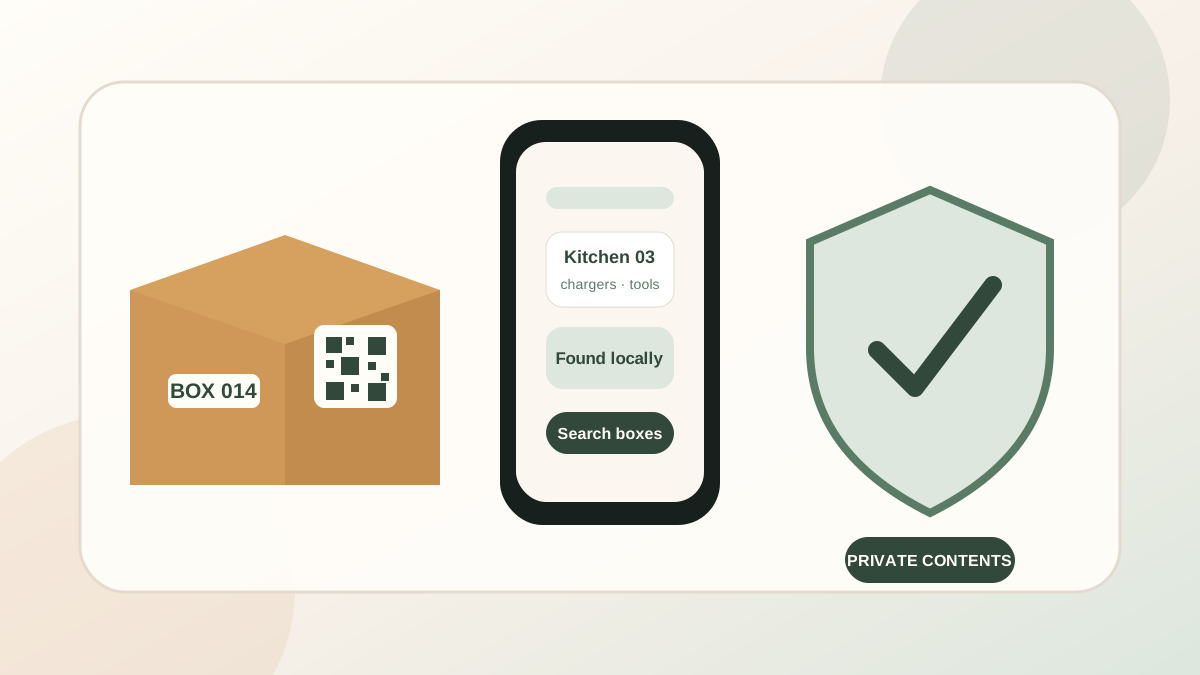
At a glance
Use a room name, unique box number and handling instructions on the outside. Keep detailed contents in a private inventory, make the QR code a shortcut rather than the only lookup method, and create a backup before moving day.
QR code moving boxes
Start with the information that belongs on the outside.
A moving label has two jobs: tell people where the box should go and explain how it should be handled. It does not need to reveal that the box contains passports, jewellery, computer equipment, family records or other sensitive belongings.
A useful public label can be simple: Kitchen 03, a QR code and flags such as Fragile, Heavy or Open First. The detailed list can stay in a private notebook, spreadsheet or app.
1. Give every box a unique number
Room names are useful, but they are not unique. Numbering turns every box into a record you can refer to even when a label is damaged or the QR code will not scan.
Use a consistent format such as Kitchen 01, Kitchen 02 and Bedroom 01. Avoid renumbering boxes during the move. If a box changes room, update the private record while retaining the unique identity.
2. Decide whether the QR code is public or private
Some QR systems place a public webpage, shared spreadsheet or full contents list behind the code. That can be convenient, but anyone who scans the label may be able to see the same information.
A privacy-focused system keeps the detailed inventory outside the QR code itself. In the submitted PackQR design, item names, notes and photos are not printed or encoded in the QR. Scanning through the installed app opens the corresponding box record held locally on the device.
3. Keep the visible label useful to movers
Privacy should not make the label vague. Use a destination room, large box number and clear handling flags. Movers need to know whether a box is heavy, fragile, upright-only or intended to be unpacked first.
Do not use visible words such as “laptop”, “passport”, “camera”, “jewellery” or “financial records”. Keep irreplaceable documents and high-value personal items with you whenever possible.
4. Record only the detail that will help later
A perfect inventory is not required. Add the items that would be frustrating to find, easy to forget or useful to search for later: chargers, tools, medication, school supplies, work equipment, seasonal clothing and important kitchen items.
Photos can help with unusual objects, cables or collections, but remember that a moving inventory can itself be sensitive. Store it with the same care you would give other private household records.
5. Make scanning helpful, not essential
A torn label, poor lighting or damaged camera lens should not stop the move. Keep the box number readable and make sure the app or list can also search by item, room and notes.
A reliable fallback sequence is: scan the QR code, search the item name, filter by room, then enter the box number manually. This prevents the QR code becoming a single point of failure.
6. Test one label before printing the full set
Print a single test sheet, attach it to a real box and scan it from several angles. Check that the label is large enough, has good contrast and is not wrapped around a corner or covered by shiny tape.
Place the label where it can face outward in a van, storage unit or garage. For long-term storage, consider placing the same number on more than one side of the box.
7. Plan for offline moving-day use
Storage units, basements and empty homes do not always have reliable mobile service. Test the workflow with Wi-Fi and mobile data switched off before moving day. Make sure the box list, search and scanner still work in the conditions where you expect to use them.
PackQR is designed as a local-first iPhone and iPad app so its core box workflow can remain available after installation without depending on a live hosted account.
8. Back up the inventory before the boxes leave
Create a backup after the main packing session and again before the move. Store it somewhere you control and can recover if the original device is lost, damaged or reset.
Backups may contain private contents and photographs, so avoid leaving them in public folders or sending them through channels you do not trust.
A simple QR box workflow
- Create a uniquely numbered box record.
- Add the room, important contents, notes, photographs and handling flags.
- Print a label showing the room, box number, QR code and handling information.
- Test scanning and manual lookup before printing the remaining labels.
- Keep essential and irreplaceable items with you.
- Scan or search after arrival instead of opening boxes at random.
- Back up the inventory before moving day and before long-term storage.
General information: This guide is practical information, not legal, financial, security or regulated professional advice. Choose a labelling and storage approach that fits your circumstances.